A Step-by-Step Guide to Formatting Engineering Manuscripts for Elsevier & IEEE
A practical walkthrough for PhD scholars and engineering authors.

Introduction & Ground Rule:
Let me say this upfront: formatting will not get a weak paper accepted. But it can get a strong paper bounced at the technical check, and losing two weeks that way hurts. This guide follows the order you will actually meet things: template, structure, equations, figures, references, and a final check.
⚠️ One rule beats everything below: the journal's Guide for Authors [1], or the conference call for papers, always wins. Treat this guide as a map and the journal page as the final word.
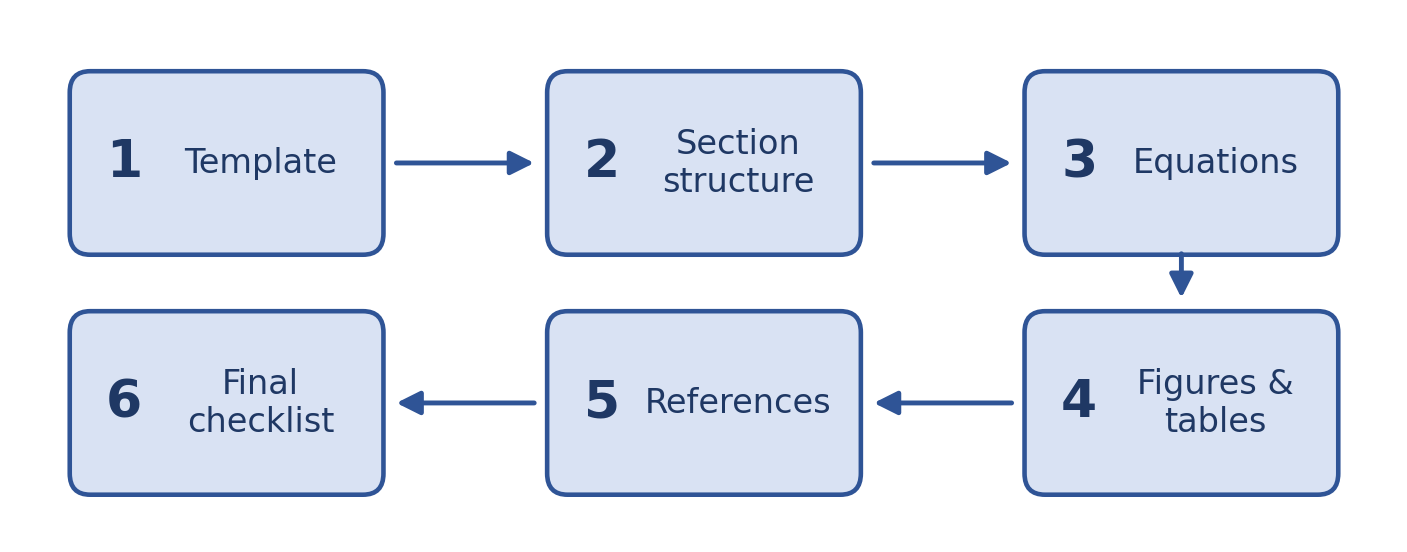
Fig. 1. The six steps, in the order you will meet them.
Step 1: Choosing Between Elsevier and IEEE Templates
Your target venue decides the publisher, so what you really choose is the file format and how closely you follow the template.
| Feature | Elsevier Journals | IEEE Journals and Conferences |
|---|---|---|
| Typical layout | Single column, double-spaced, often with line numbers | Two columns, single-spaced |
| LaTeX class | elsarticle | IEEEtran |
| Keywords heading | Keywords | Index Terms |
| References | Set by the journal (numbered or author-year) | Numbered, in order of first citation |
| Final layout | Typeset by the publisher after acceptance | Often close to what you submit |
That last row matters. Elsevier typesets your paper after acceptance, so your manuscript only has to be easy to review. IEEE conference papers are often published almost exactly as you format them, so layout details count for much more.
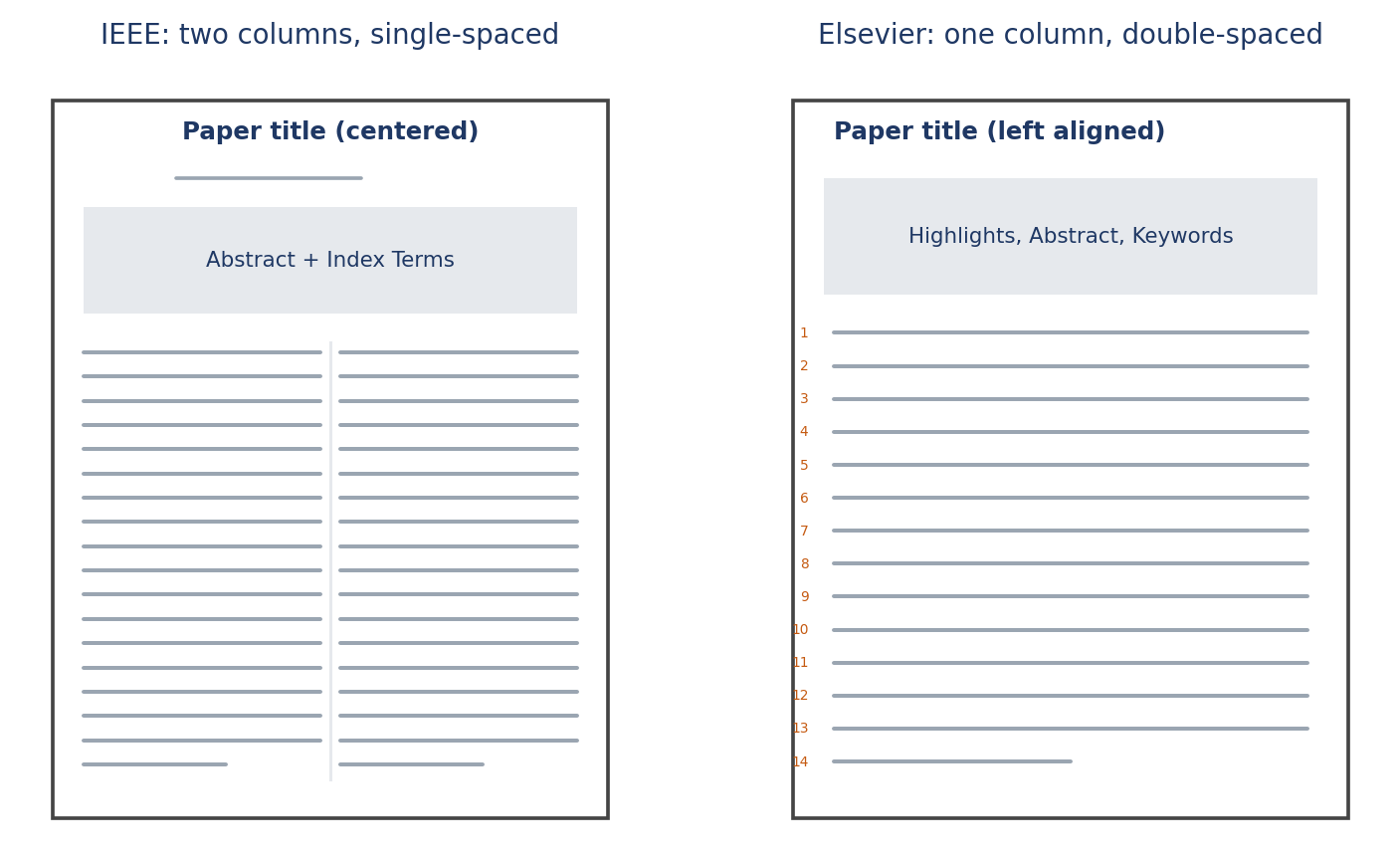
Fig. 2. A two-column IEEE page next to a single-column, double-spaced Elsevier page.
LaTeX or Word?
Pick LaTeX if: Your paper is equation-heavy (control, signal processing, electromagnetics, mechanics), you want automatic numbering and cross-references, or you share the project through Overleaf or Git.
Pick Word if: Your paper is mostly experimental, your co-authors do not know LaTeX, or the venue gives you a Word template.
Get the Right Template
Elsevier: Open the journal homepage, then the Guide for Authors. It links to the current template, usually the elsarticle class [2] or a Word file.
IEEE: Use the template selector in the IEEE Author Center [3] or the one named in your conference call, with the IEEEtran class [4] for LaTeX. Never reuse an old paper's template, because conferences change theirs yearly.
\documentclass[journal]{IEEEtran}    % IEEE journal
\documentclass[conference]{IEEEtran}  % IEEE conference
\documentclass[review]{elsarticle}    % Elsevier submission
And please do not tweak the template. Checkers flag changed margins, font sizes, and repeated \vspace tricks. If you are over the page limit, cut text.
Step 2: Preparing Section Structures
Most engineering papers share one skeleton. Check your journal first, since some want a structured abstract or a different section order.
Title, Abstract, and Keywords
Title: specific and short, roughly 10 to 15 words.
Abstract: one paragraph, usually 150 to 250 words. For IEEE, no equations, citations, or undefined abbreviations. Elsevier limits vary, so check.
Keywords: Elsevier usually wants 4 to 6. IEEE uses "Index Terms", normally alphabetical and drawn from the IEEE Taxonomy where possible.
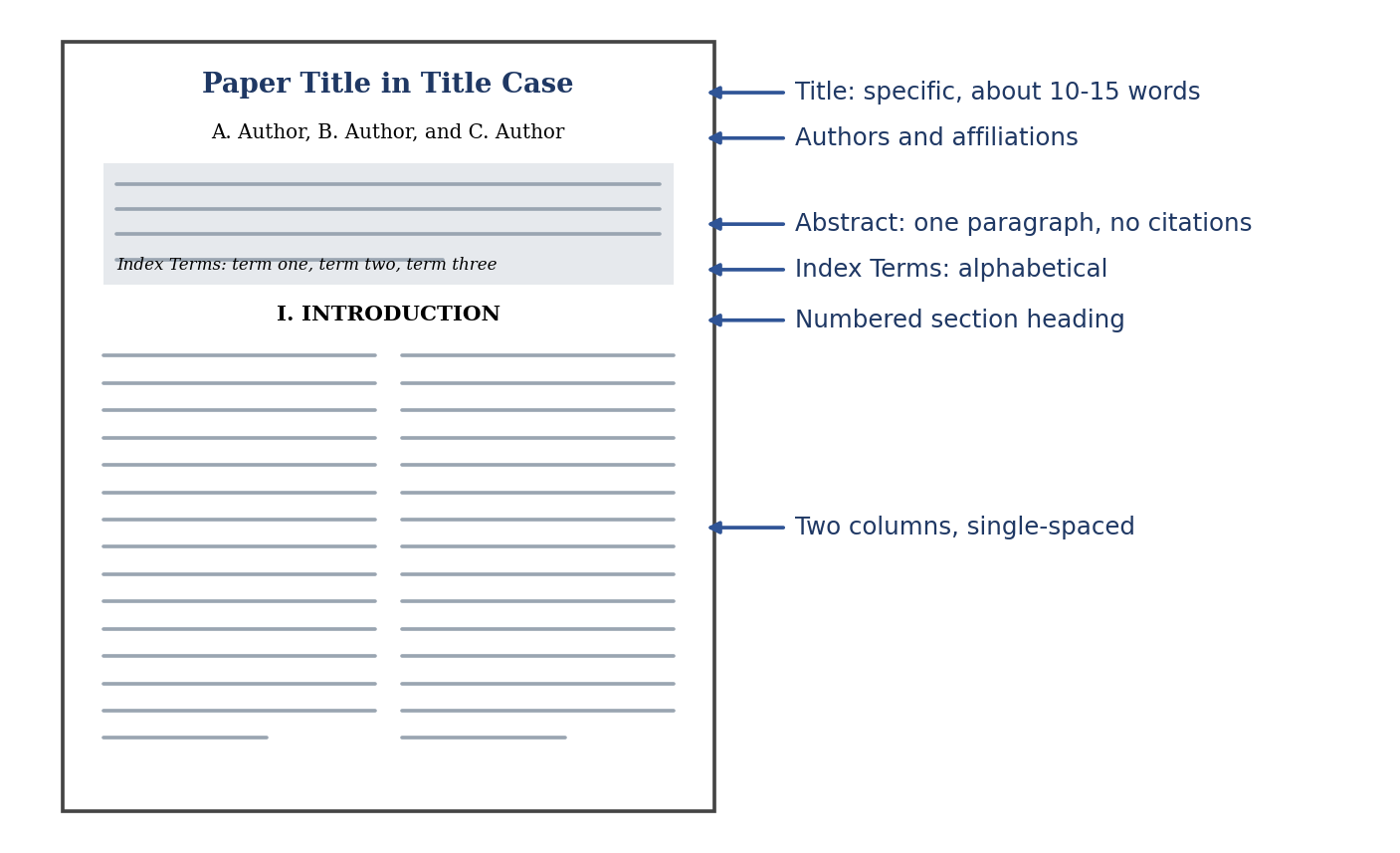
Fig. 3. The first page of an IEEE paper, annotated.
Main Sections & Back Matter
- Introduction: context, related work and the gap, your contributions, and a one-paragraph outline.
- Methodology: detailed enough for someone else to reproduce. Define symbols at first use, and state assumptions, parameters, datasets, hardware, and software versions.
- Results and Discussion: follow the order of your methods. Compare against baselines fairly, report units and uncertainty, and explain results.
- Conclusion: findings and significance in a paragraph or two, plus limitations and future work. No new results.
- Back Matter: CReDiT author statement [5], competing-interest declarations, funding details, data availability statements, and AI disclosures where required.
Step 3: Formatting Mathematics and Equations
Use inline math for short symbols and simple definitions inside a sentence. Use display math for anything long, complex, or referenced later.
\documentclass[journal]{IEEEtran}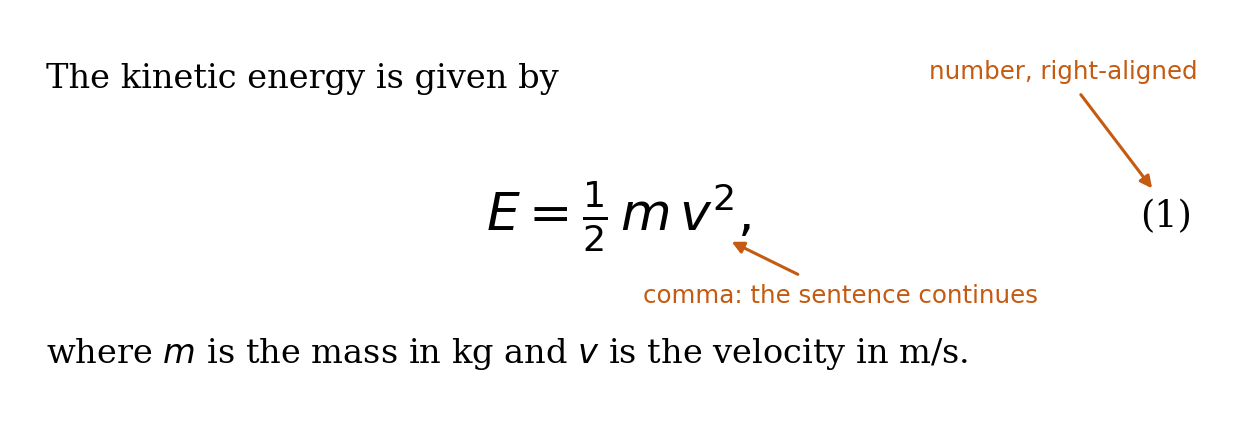
Fig. 4. A display equation with its number, punctuation, and "where" line.
Vectors, Matrices, and Symbols
| Object | Style | LaTeX |
|---|---|---|
| Scalar | Italic | $x$ |
| Vector | Bold lowercase | \mathbf{x{ |
| Matrix | Bold uppercase | \mathbf{A{ |
| Set | Calligraphic or blackboard bold | \mathcal{S{, \mathbb{R{ |
Step 4: Figures, Tables, and High-Resolution Visuals
Vector (PDF or EPS) for plots, circuits, and block diagrams. TIFF or PNG for photos and microscopy.
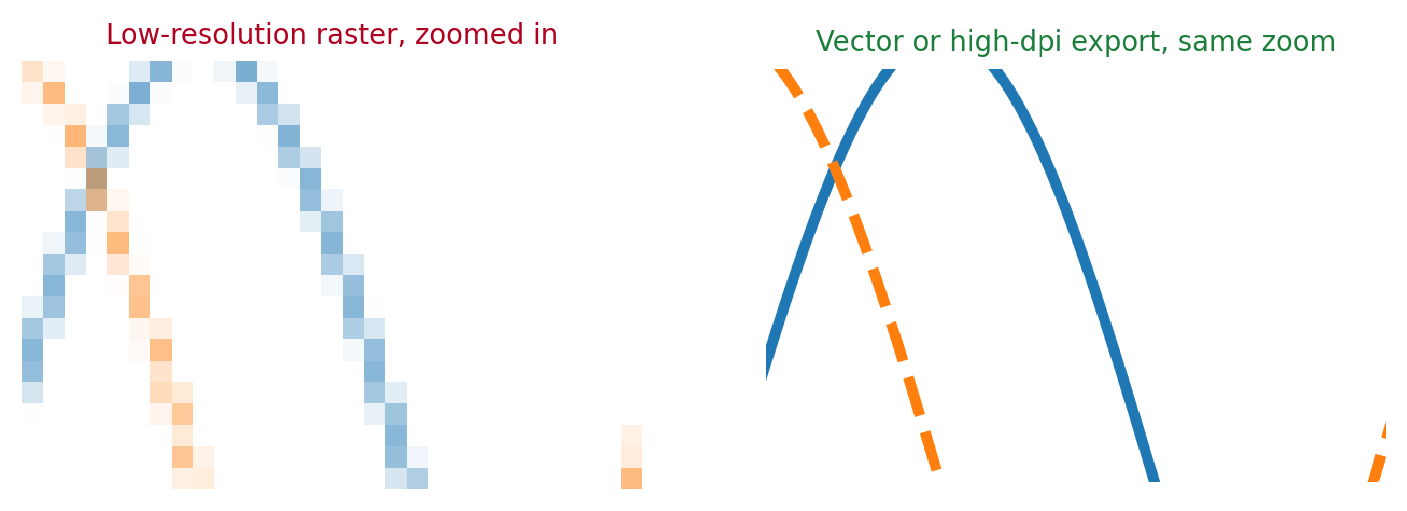
Fig. 5. Same plot, same zoom: low-resolution raster versus a sharp export.
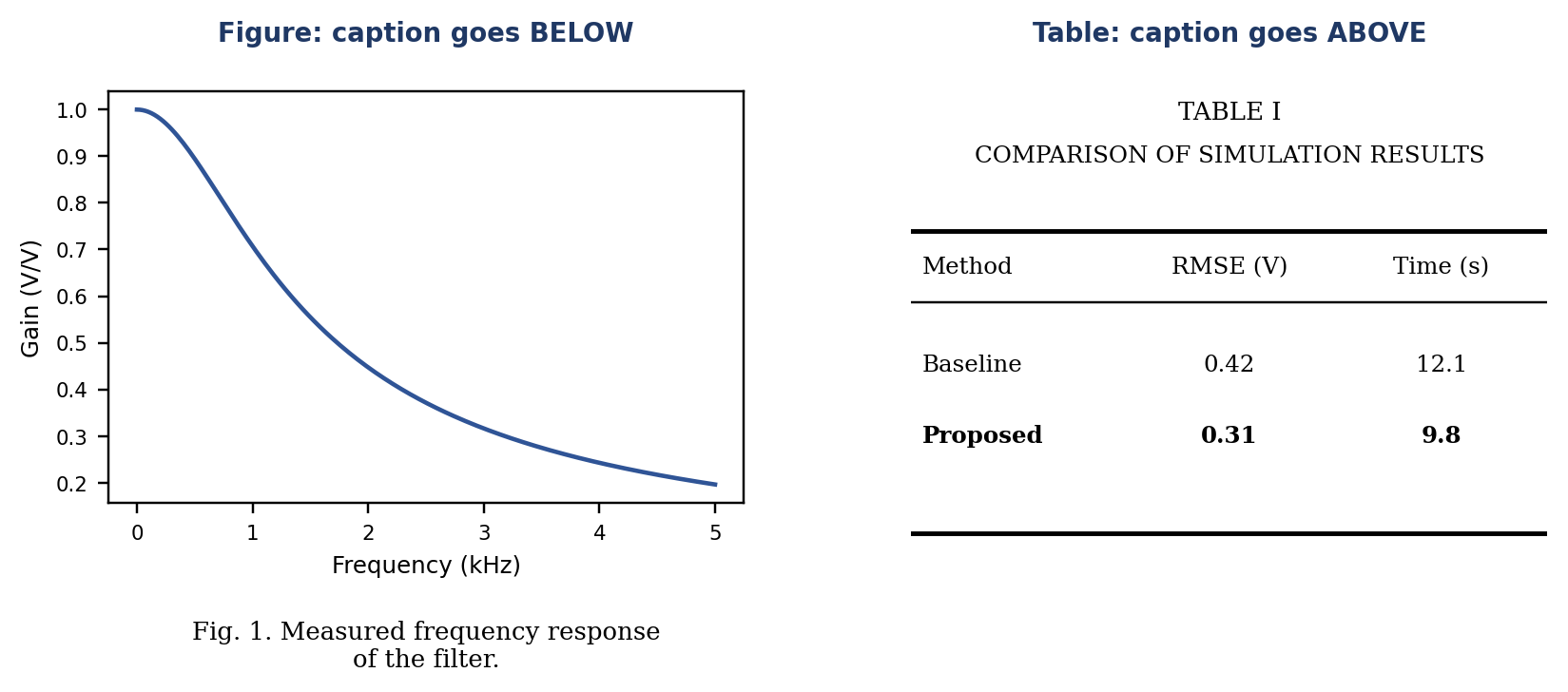
Fig. 6. Caption placement: below for figures, above for tables.
Step 5: Citation and Reference Management
Keep every reference in one .bib file and let the style file format it. IEEE uses numerical brackets ordered by first citation ([1], [2], [3]). Elsevier supports both numbered (elsarticle-num) and author-year (elsarticle-harv) styles.
Step 6: Final Pre-Submission Checklist
- Verify title length, abstract word count, and index term formatting.
- Ensure all equations are numbered, referenced properly, and symbols defined.
- Confirm figure resolutions (DPI), vector formats, and correct caption placement.
- Check for missing citation markers (
[?]) and font embedding.
Good formatting will not rescue a weak paper, but bad formatting can slow down a strong one. Set up your template, figures, and references properly once, and you can spend your energy on the science.
References
- Elsevier, "Guide for Authors," available on each journal's homepage at sciencedirect.com. ↑ back
- Elsevier, "elsarticle: Class for articles submitted to Elsevier journals," CTAN package documentation.
- IEEE Author Center, "Templates for IEEE journal and conference articles," ieee.org.
- M. Shell, "How to use the IEEEtran LaTeX class," CTAN package documentation.
- A. Brand, L. Allen, M. Altman, M. Hlava, and J. Scott, "Beyond authorship: Attribution, contribution, collaboration, and credit," Learned Publishing, vol. 28, no. 2, pp. 151-155, 2015.
- IEEE, "IEEE Editorial Style Manual for Authors," IEEE Periodicals.
- American Mathematical Society, "User's guide for the amsmath package," CTAN package documentation.
- J. Wright, "siunitx: A comprehensive (SI) units package," CTAN package documentation.
- Elsevier, "Artwork and media instructions," Elsevier Author Resources.
- B. Wong, "Points of view: Color blindness," Nature Methods, vol. 8, no. 6, p. 441, 2011.
- S. Fear, "Publication quality tables in LaTeX (booktabs)," CTAN package documentation.
- L. Lamport, LaTeX: A Document Preparation System, 2nd ed. Reading, MA, USA: Addison-Wesley, 1994.
Need Expert Help Formatting Your Manuscript?
Get professional LaTeX & Word layout overhaul directly from experienced academic researchers.
Direct Email: scholargrid030@gmail.com